1
Connect
Each connector brings its own fields, validation, connection test, and catalog discovery.

CARBON™ is GSPANN's metadata-driven ingestion and ETL platform. One YAML file defines the source, target, extraction strategy, load pattern, mappings, and audit settings. Run it from the console, or hand it to the copilot and your own AI agents.
A new data source usually costs your team in one of two ways. Build it in Python or Spark, and your engineers maintain that code for as long as the pipeline runs. Buy a managed service, and your pipeline logic moves into its platform, billed by usage. CARBON™ is a custom-grade framework delivered as a product: each pipeline is a YAML file your team owns and can change.
Declare source-to-target mappings in YAML. Guided screens generate and preview the YAML before you create a pipeline, or you can upload your own.
Relational databases, SaaS APIs, cloud storage, and warehouses. Add a source by configuration. Forms are rendered from connector metadata.
Every job logs and reports errors in the same format. Run history, row counts, throughput, and live logs sit in one console.
Open PySpark and SQL on any Spark-compliant runtime, so you can shift for cost or speed.
A running pipeline cannot be launched twice. Run state survives restarts, and orphaned runs are reconciled when the backend starts.
Browse and search large catalogs of tables and objects. Columns and sample data load only when you ask for them.
Weigh time to first run against control over your pipeline logic.
| Approach | Examples | Trade-Off |
|---|---|---|
| Managed SaaS | Fivetran, Workato | Fast to start. Your logic lives in their platform, and the bill grows with usage. |
| Cloud-Native | Azure Data Factory | Flexible within one cloud, but you build inside their box. |
| Custom Build | Python, Spark | Total control, but slow to build and yours to maintain forever. |
| ✓CARBON™ | A framework, delivered | The flexibility of code with the speed of a platform. You can change any pipeline file and add your own connector modules. |
Connectors, load logic, scheduling, and audit live in one configuration per pipeline. Standard ingestion patterns need no custom Spark code.
source:
  connection: salesforce_prod
  extract_type: web_service
  object: Account
target:
  connection: snowflake_dw
  table: crm.customer
ingestion_pattern: delta_watermark_sync
mappings:
  - {from: Phone, to: phone_number}
audit: {enabled: true}
Each connector brings its own fields, validation, connection test, and catalog discovery.
Three extraction types, set by the connector you pick.
Five load patterns, from atomic replace to append-only history.
Land data in the cloud warehouse you already run.
Governed runs. Every run is audited: source, target, row counts, status, and timing.
Scheduled or on demand. Run on a cron schedule or trigger a pipeline when you need it.
All three interfaces reach the same capabilities. The copilot calls the same Model Context Protocol (MCP) tools that external agents use, so one set of permissions governs both.
A full interface for teams who prefer screens.
Build and run pipelines by asking in plain language.
Connect any MCP client, such as Claude Code or a Slack bot, to 12+ typed tools.
Real screens from the CARBON app. Click any screen to see it full size.
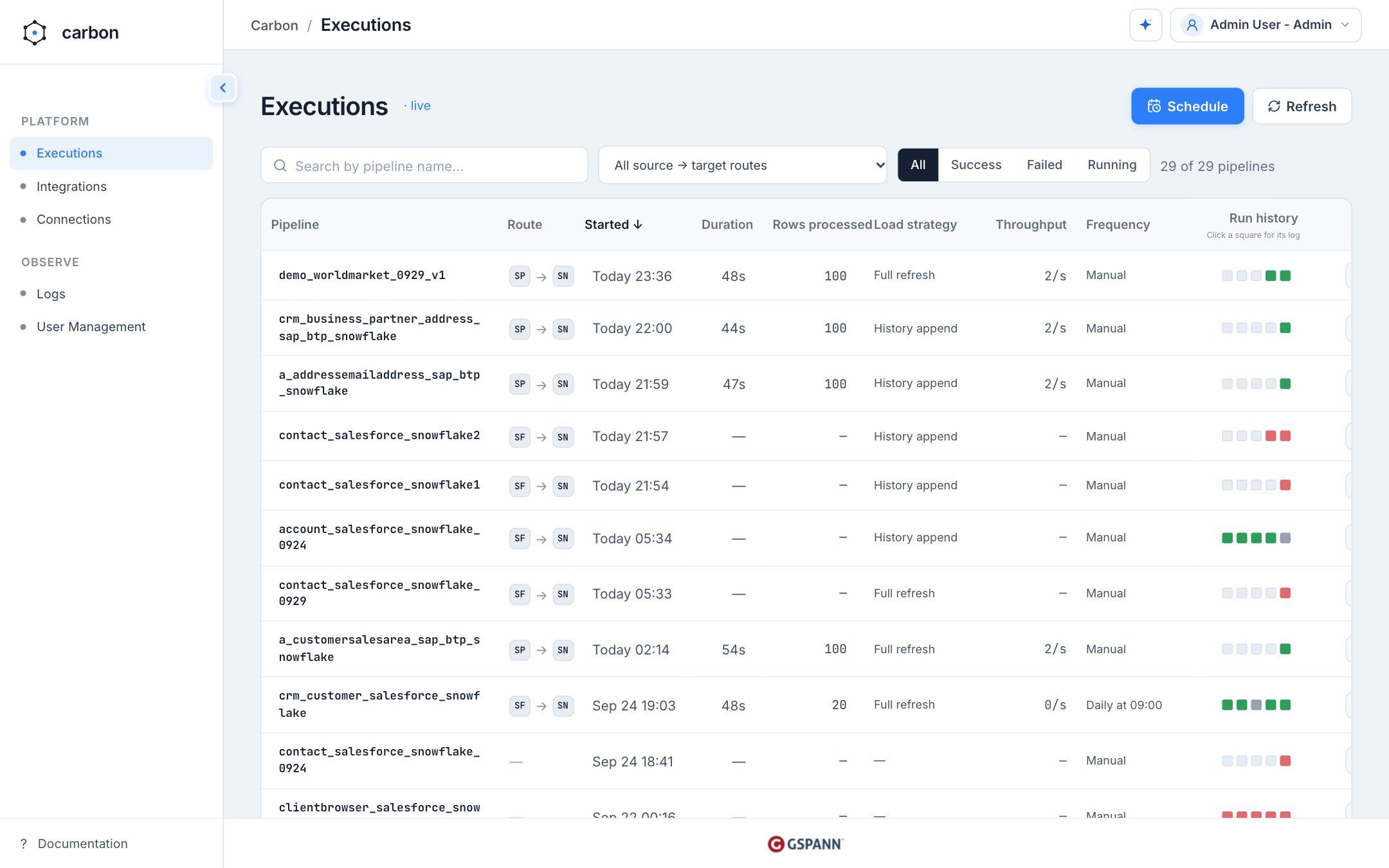
Run any pipeline and watch its status and throughput live. The last five runs show as colored squares, and clicking one opens that run.
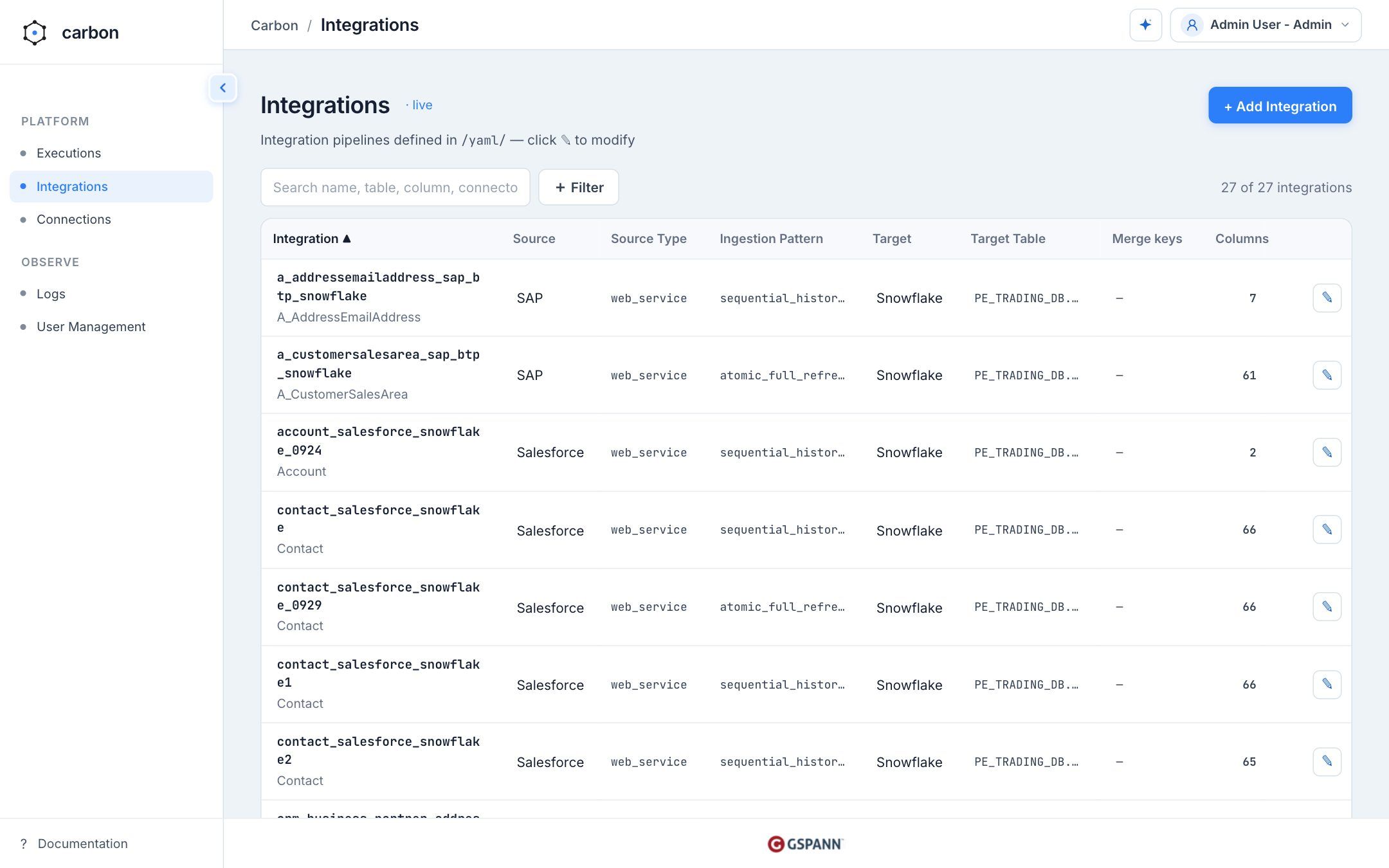
Search, filter, create, upload, and edit process YAML through a guided workflow.
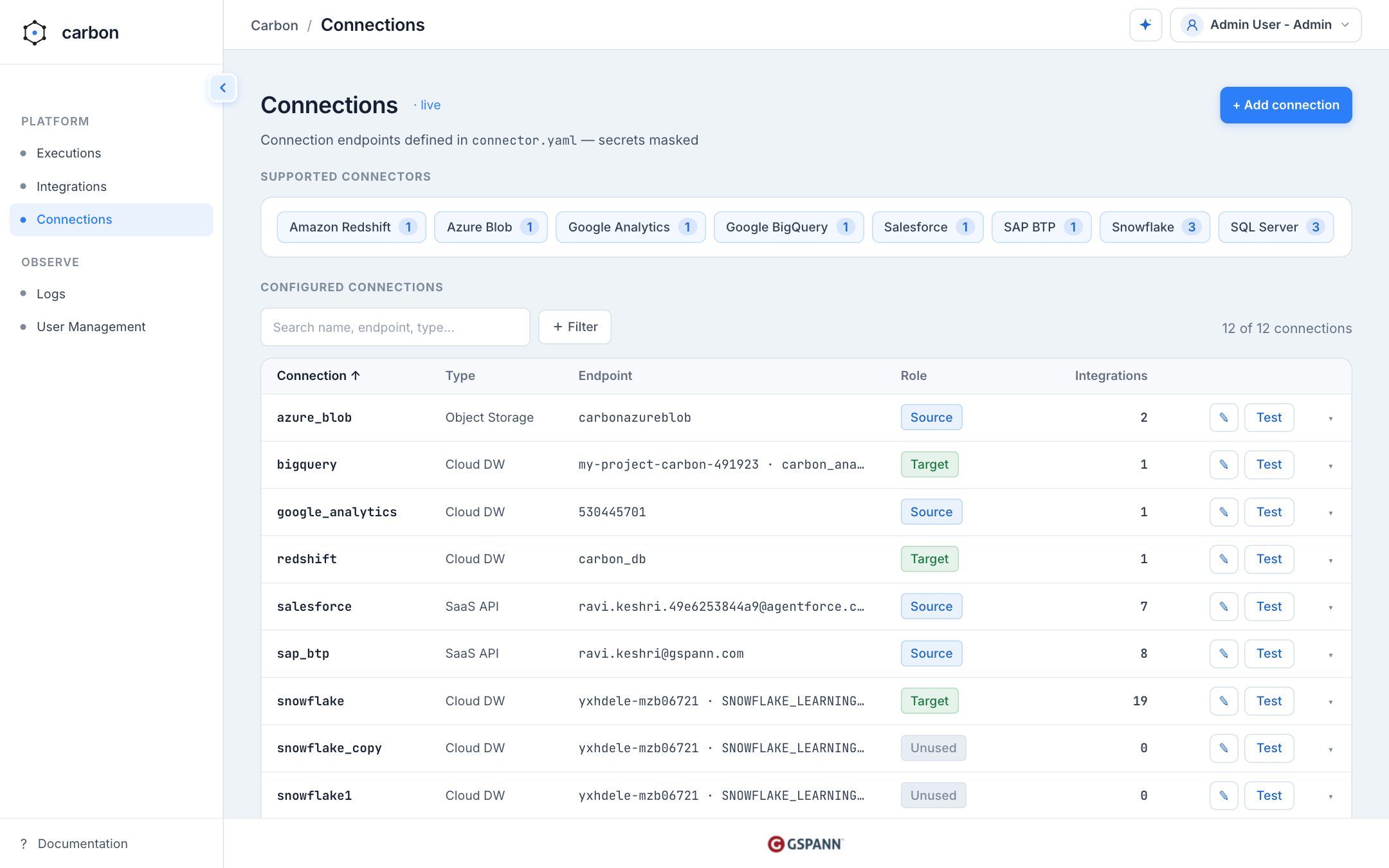
Test each connection before you save it, and see which integrations use it.
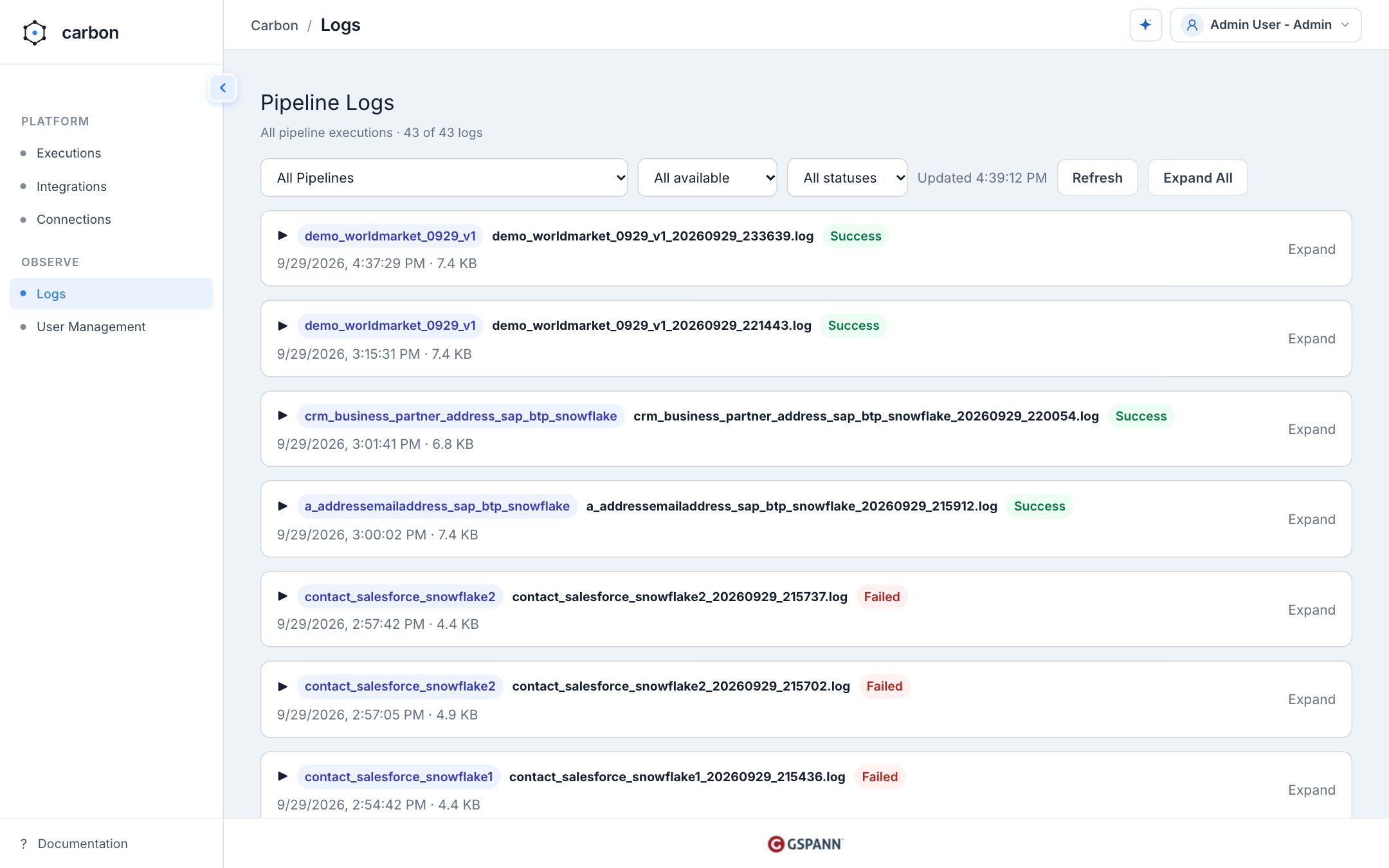
Search execution logs across pipelines by time window and status.
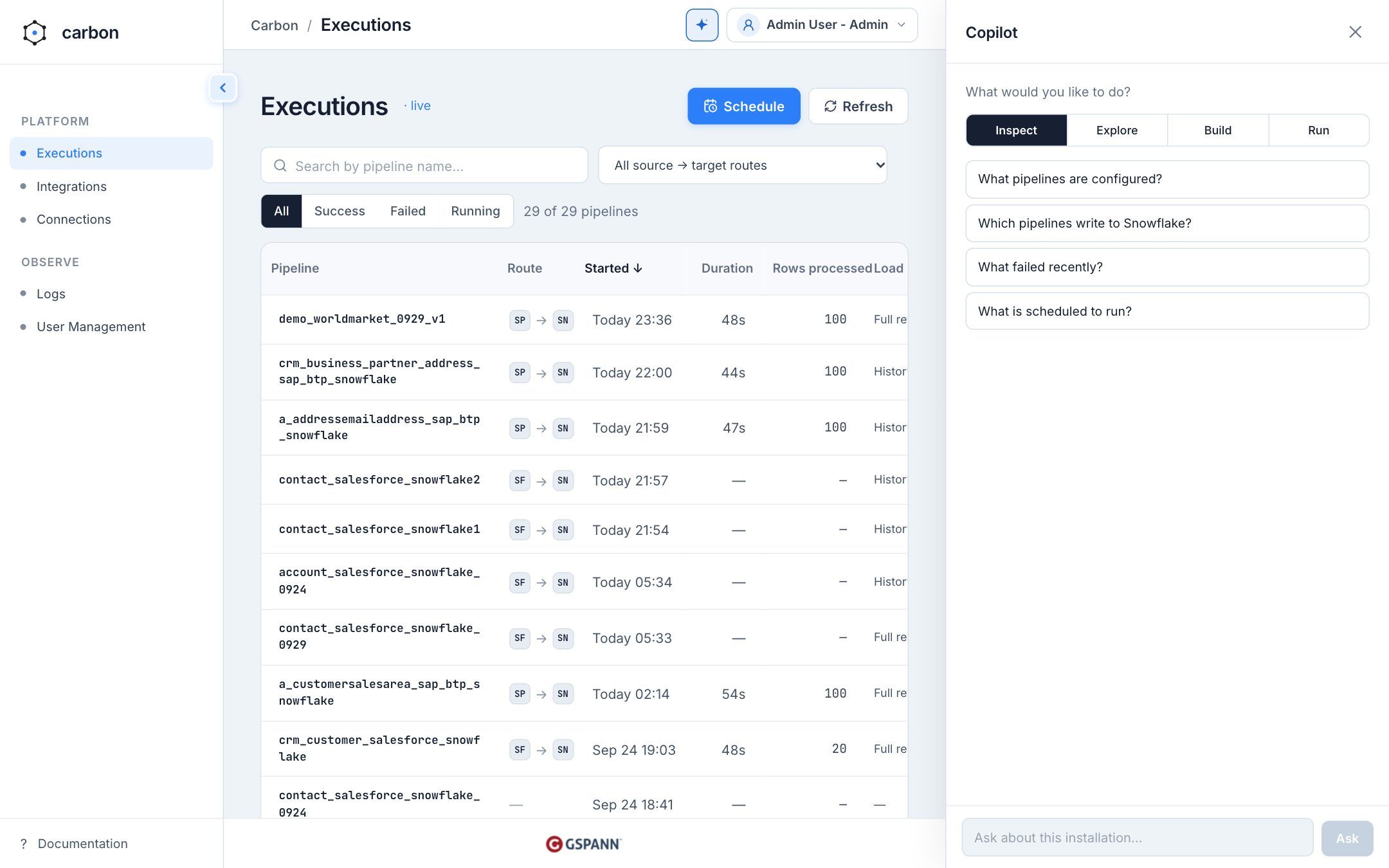
Ask in plain language from the spark button.
Pick the pattern that fits the shape of the data. CARBON stages each load before merging it into the target, and writes an audit record for every run.
API-token extraction for customer and employee data, without manual exports.
SQL extraction of facts and dimensions from OLTP systems into one source of truth.
Structured and unstructured files, including logs and event data, from cloud storage or on-premises systems.
| Load Pattern | Behavior | Best For |
|---|---|---|
| Atomic Full Refresh | overwrite | Small lookup and reference tables. Replaces the dataset in one transaction. |
| High-Volume Snapshot | snapshot | Loading a point-in-time snapshot of large sources. |
| Delta Watermark Sync | upsert / merge | The main incremental strategy. Syncs only new or changed records since the last run. |
| Comparative Delta Detect | upsert / merge | Sources without timestamps. Compares a full scan to find inserts and updates. |
| Sequential History Append | append only | Logs, events, telemetry, and audit trails that are added in order and never modified. |
Agents and the copilot get narrow permissions, and everything they do is on the record.
Every API route except the health check needs a bearer token. Tokens are stored as hashes and expire within 90 days. Revoking one takes effect on the next request.
A console token is rejected by the agent endpoint, and an agent token is rejected by the console API. Limit any token to pipelines such as crm_*.
The copilot shows a dry run before any edit, and says what a run will do to the target table before it starts. Approve it, or reject it with a note for a revised proposal.
Agent and copilot actions, including refused ones, record who acted, which tool they called, whether it was allowed, and which run it started.
Per-token caps and a minimum gap between agent-triggered runs stop a retrying agent from flooding the engine.
Code is bytecode-encoded and license-validated, and ships in a Docker runtime on Python 3.10 and Apache Spark 3.3.
AI-powered CDP accelerator that consumes CARBON data feeds to build unified customer profiles.
Learn more →Automated ETL testing that validates data quality across CARBON pipelines, from source to target.
Learn more →AI-driven data observability that verifies data accuracy at every transformation layer of your CARBON pipelines.
Learn more →Book a walkthrough and watch a YAML file become an audited, scheduled pipeline.